
- Navigate to your Settings in FunkCloud Workspace.
(see image below)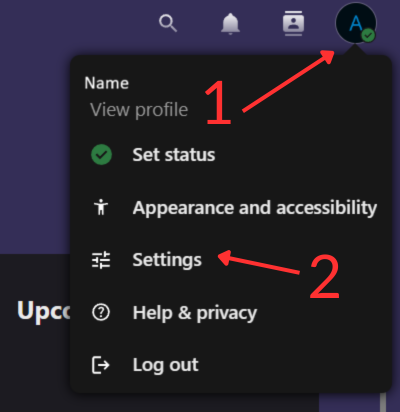
- Click on the “Upload profile picture” button.
(see image below)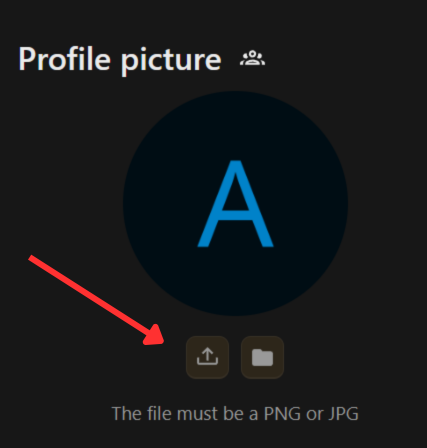
- Choose the picture you want as your profile picture.
- Crop the profile picture how you want it to look.
(see image below)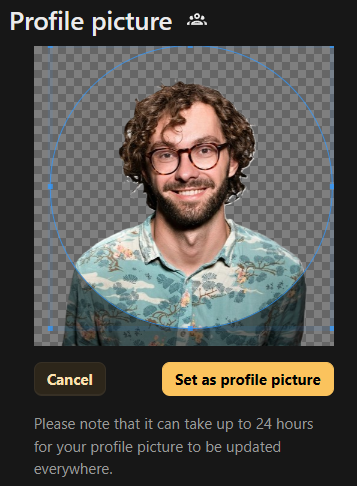
- Click on the “Set as profile picture” button.